LiveWeekly live demo and office hours, every Wednesday.Save your seat →
Compliance framework

DISA Okta IDaaS STIG

The DISA Security Technical Implementation Guide (STIG) for Okta Identity as a Service, used by US government and defense organizations.
✓ 7-day free trial✓ Audit-ready reports✓ No credit card
29
Mapped checks
29
Requirements
1
Providers

A sample of the requirements

How Prowler maps it

Each requirement is mapped to automated checks. Prowler Cloud scores every requirement, tracks it over time and exports the evidence for your auditor.

  • OKTA-APP-000020 Okta must log out a session after a 15-minute period of inactivity.
  • OKTA-APP-000025 The Okta Admin Console must log out a session after a 15-minute period of inactivity.
  • OKTA-APP-000090 Okta must automatically disable accounts after a 35-day period of account inactivity.

FAQ

Common questions

Does Prowler support DISA Okta IDaaS STIG?

Yes. Prowler maps 29 checks to DISA Okta IDaaS STIG across Okta.

How do I get a DISA Okta IDaaS STIG report?

Create a free Prowler Cloud account at cloud.prowler.com, connect your accounts and open the compliance view to see your DISA Okta IDaaS STIG status and export evidence for your auditor.

Framework data comes from Prowler Hub and is updated daily.

See your own findings in minutes.

Connect a cloud account with a read-only role and run 2,500+ checks. Free for 7 days, no credit card, no account limit.
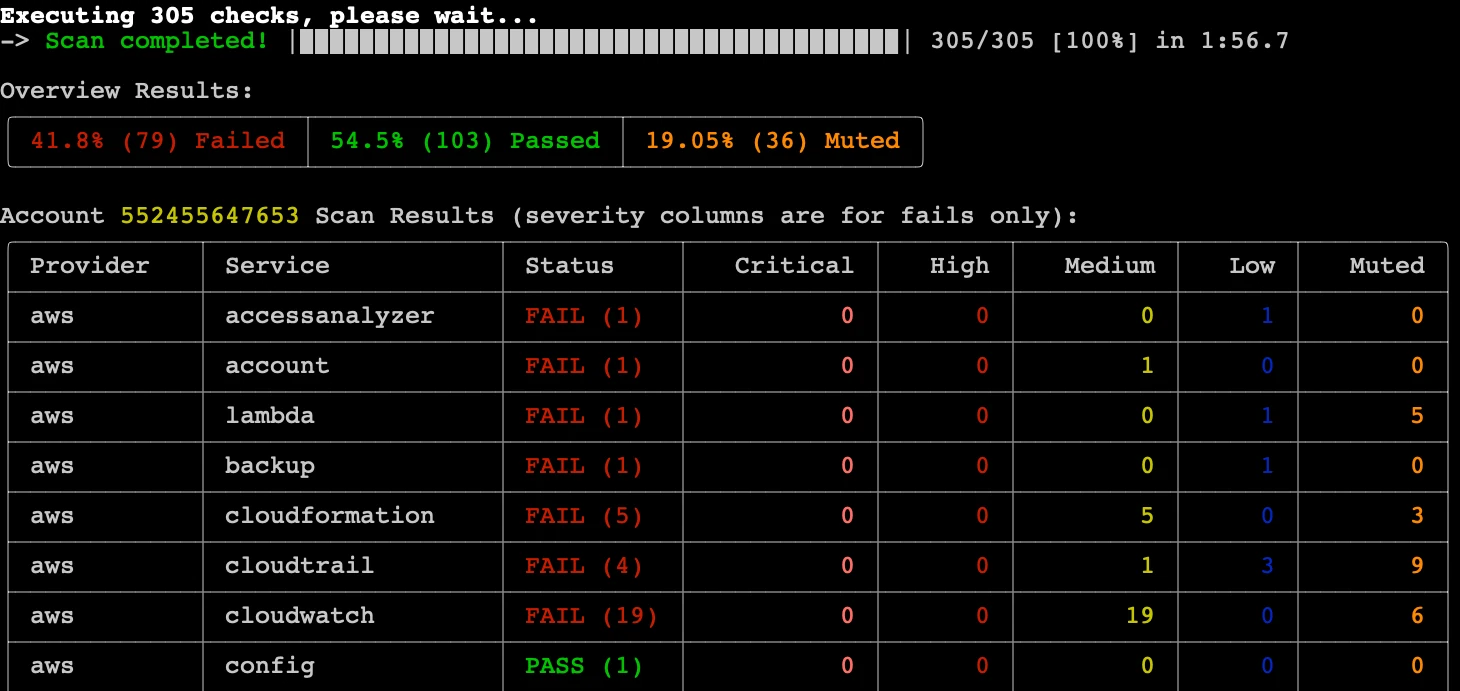
$ prowler aws
Real Prowler CLI output: scan completed, overview of failed, passed and muted findings, and results by AWS service and severity
Real Prowler CLI scan output